
Aspect Ratio Preview & Export for Photographers
Preview any ratio. Reposition any crop. Export in one click.
I built Frameline because I was tired of opening Lightroom just to check how a photo looks at 4:5. Now I see every ratio at a glance, drag to reposition, and bulk export – all for a one-time $19.
macOS · One-time purchase · No subscription · No account required
Features
Everything you need, nothing you don’t.
Frameline is focused by design. No bloat, no feature creep. Just the tools a photographer needs to preview, crop, and export aspect ratios quickly.
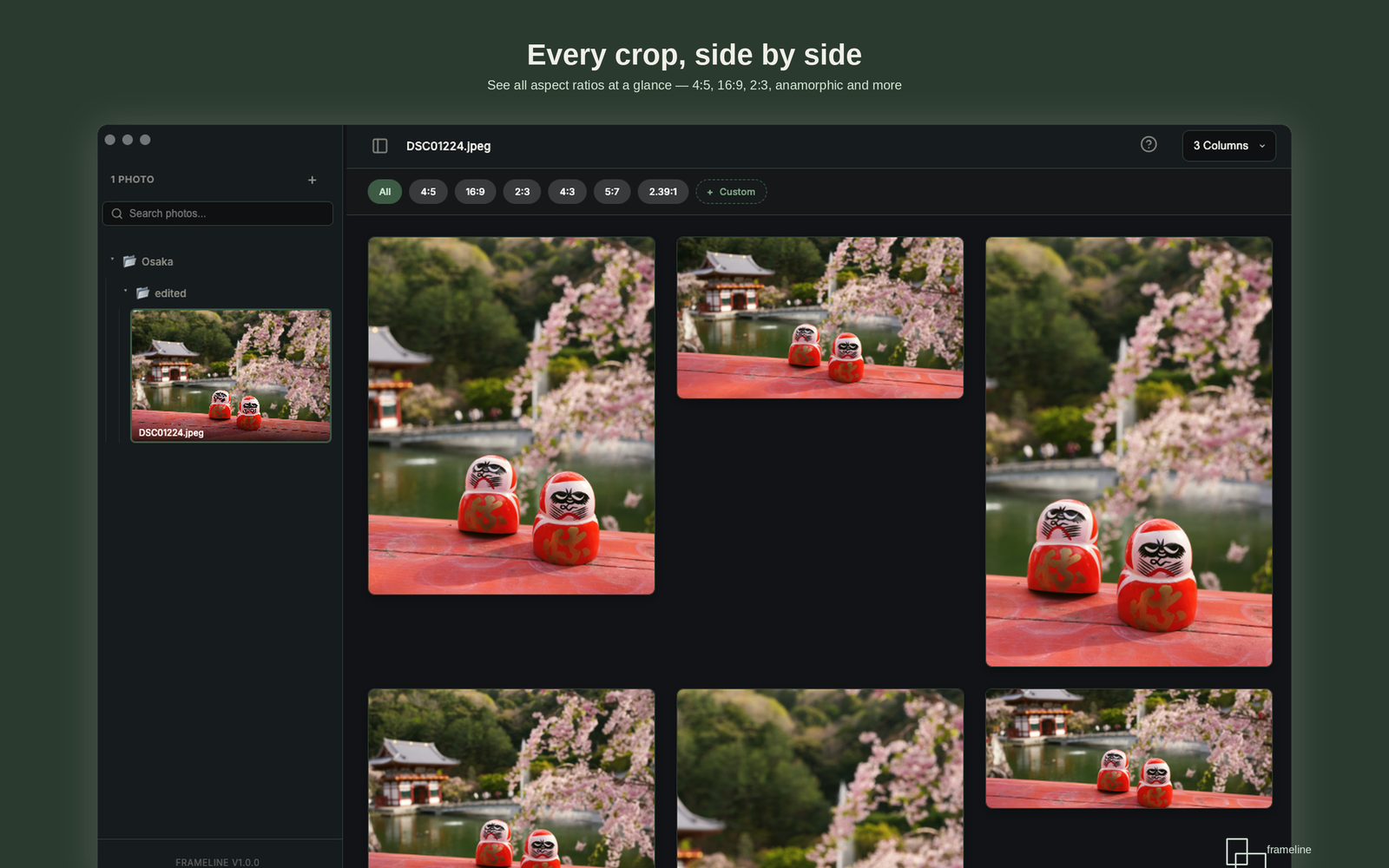
See every crop, side by side, in a configurable 2, 3, or 4 column grid
Load a photo and instantly see it in every aspect ratio at a glance. Switch between grid layouts depending on how many ratios you’re comparing. A filmstrip on the left keeps all your loaded photos one click away.
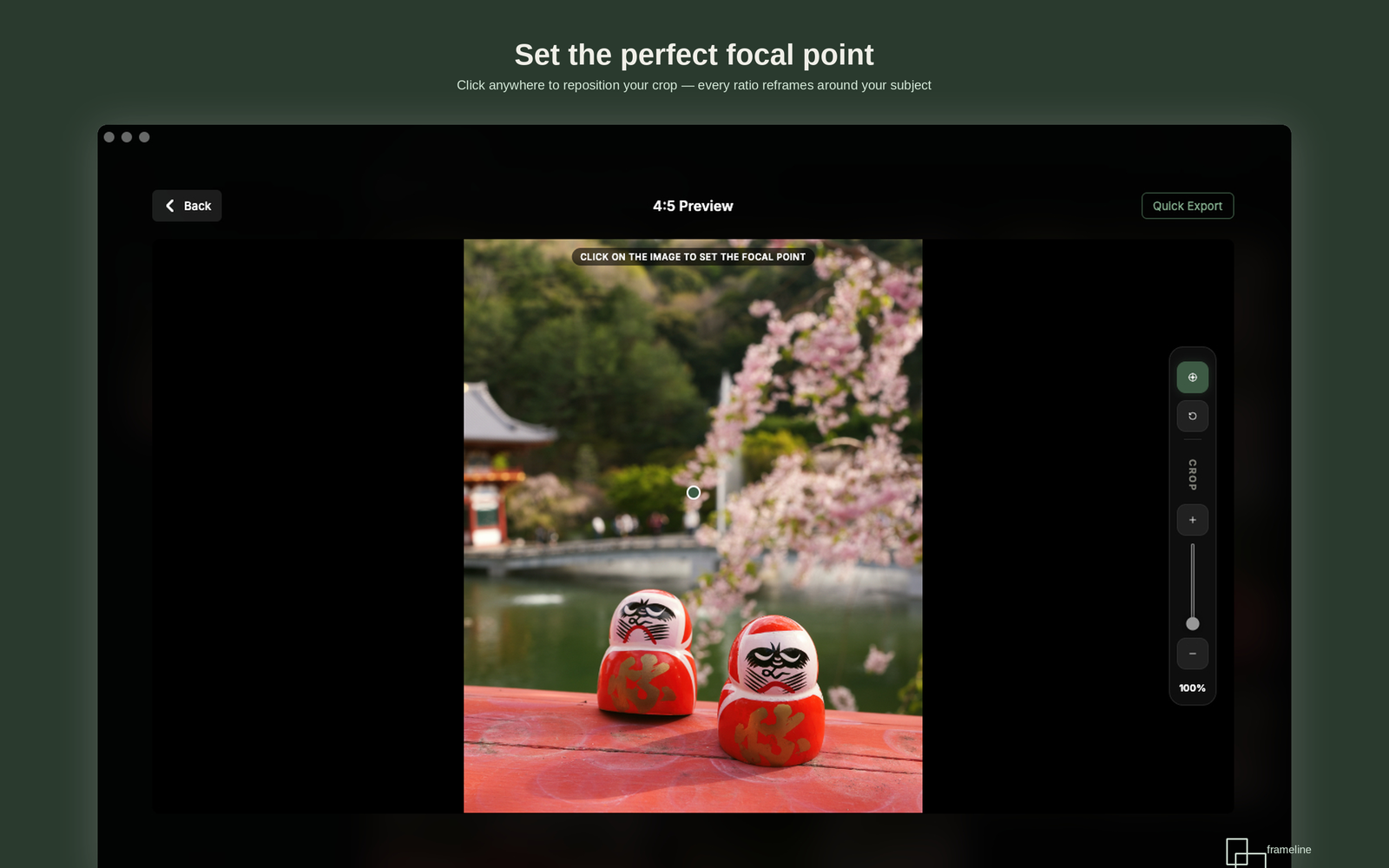
Set the perfect focal point, click anywhere to reposition your crop
Click on any ratio to open it full-size, then click anywhere on the image to set the focal point. Every ratio reframes around your subject automatically. Fine-tune with the crop slider on the right. Quick Export lets you save a single ratio instantly.
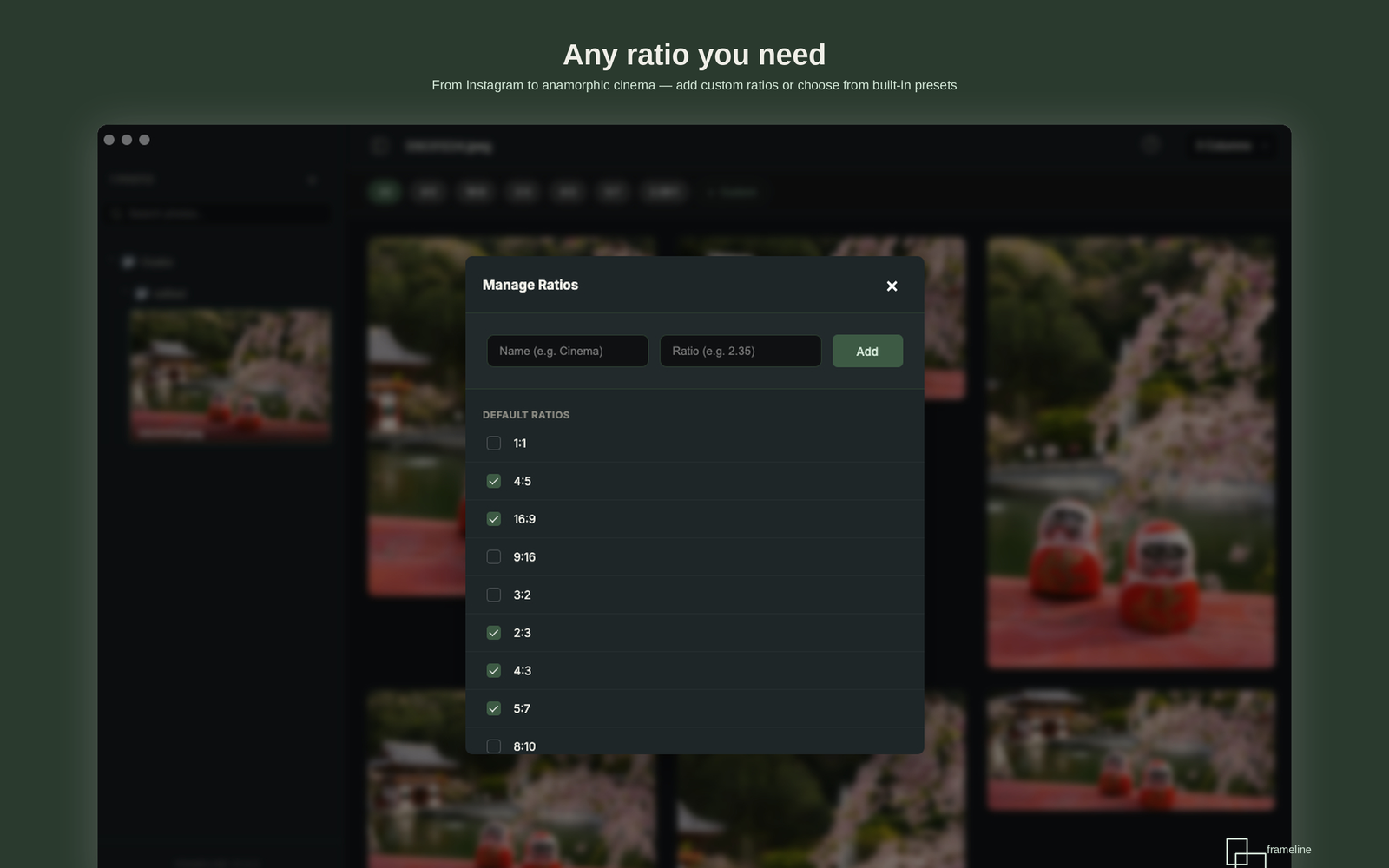
Any ratio you need, built-in presets or your own custom formats
Frameline ships with 30+ predefined ratios across digital, social, print, film, and cinematic categories. Need something custom? Add unlimited ratios with a name and value. Toggle ratios on and off to show only the ones relevant to your current project.
How It Works
Three steps. Under a minute.
01
Load your photos
Drop a single JPEG or PNG, select multiple files, or open an entire folder.
A filmstrip on the left keeps everything accessible.
02
Preview and reposition
See 30+ ratios in a configurable grid. Click any ratio to set the focal point; every crop reframes around your subject. Fine-tune with the crop slider.
03
Check and export
Check the ratios you want per photo, then move to the next and repeat. Then bulk-export all selected crops at once, organized into neat folders per photo.
30+ Built-In Ratios
Every format a photographer needs.
Five categories covering digital, social, print, film, and cinematic formats – plus unlimited custom ratios you define yourself.
Digital & Social
1:1 · 4:5 · 9:16 · 16:9 · 3:2 · 4:3 · 1.91:1 · 2:1
5:7 · 8:10 · 11:14 · A-series · Square
Film & Cinematic
2.35:1 · 2.39:1 · 65:24 XPan · 6:17 · 2.76:1
Pricing
One app. One price. No surprises.
Everything included.
✓
30+ predefined aspect ratios
✓
Unlimited custom ratios
✓
Focal point repositioning
✓
Configurable 2/3/4 column grid
✓
One-click bulk export to organized folders
✓
Filmstrip navigation for batch workflows
✓
All future updates included free
Frameline for macOS
$19
Pay once, own it forever.
All future updates included.